What a draft is, how to find your own and your team's unfinished assessments, and how to pick one up and carry on.
Who this is for: Assessors. Managers and Viewers can see drafts too, with a slightly different view (covered below).
What a draft is
A draft is an assessment someone has started but not yet submitted. Tendable saves it automatically when you save your progress, so it's never lost and can be finished later, by you or by a colleague.
Your Drafts and Other Drafts
Open Assessment Drafts and you'll see two tabs:
| Tab | What's in it |
|---|---|
| Your Drafts | Assessments you started and haven't submitted yet. |
| Other Drafts | In-progress assessments started by other people in your units. |
Each draft shows its name, the unit it's for, how complete it is, and when it was last worked on. On Other Drafts you'll also see who started it.
The Other Drafts tab is there on purpose: assessments aren't locked to the person who started them. You can pick one up to help get it finished, share the work on a long assessment, or cover for a colleague who's off. It's built for teams working together rather than everyone soldiering on alone.
Pick up where you, or a colleague, left off
- Open Assessment Drafts.
- Find the assessment you want, under Your Drafts or Other Drafts.
- Click Resume.
- Carry on from where it was left, then submit when it's done. See Complete and submit an assessment for the steps.
This is ideal for shift handovers: one person starts the round, another finishes it, and it's the same assessment throughout.
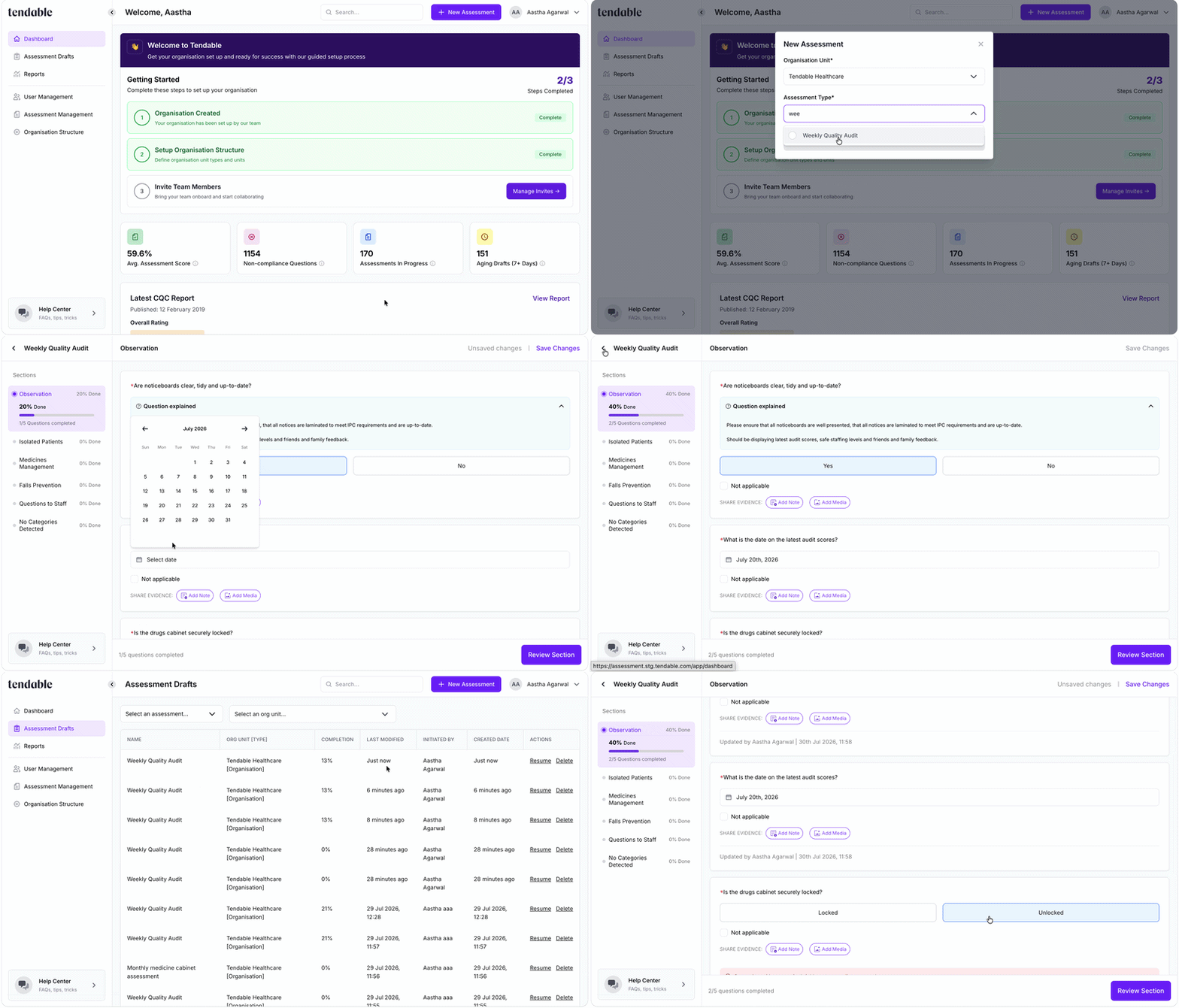
Create a draft and pick up from where you left off
What managers and viewers see
If you're a User Manager, Administrator, or Viewer, you don't get the two tabs. Instead you see all in-progress assessments across your units in a single list. That gives you a quick view of what your teams are working on, without having to chase anyone.
Deleting a draft
Only the person who started a draft can delete it. If you try to delete someone else's, the option is greyed out with a note explaining why. Viewers can't delete drafts.
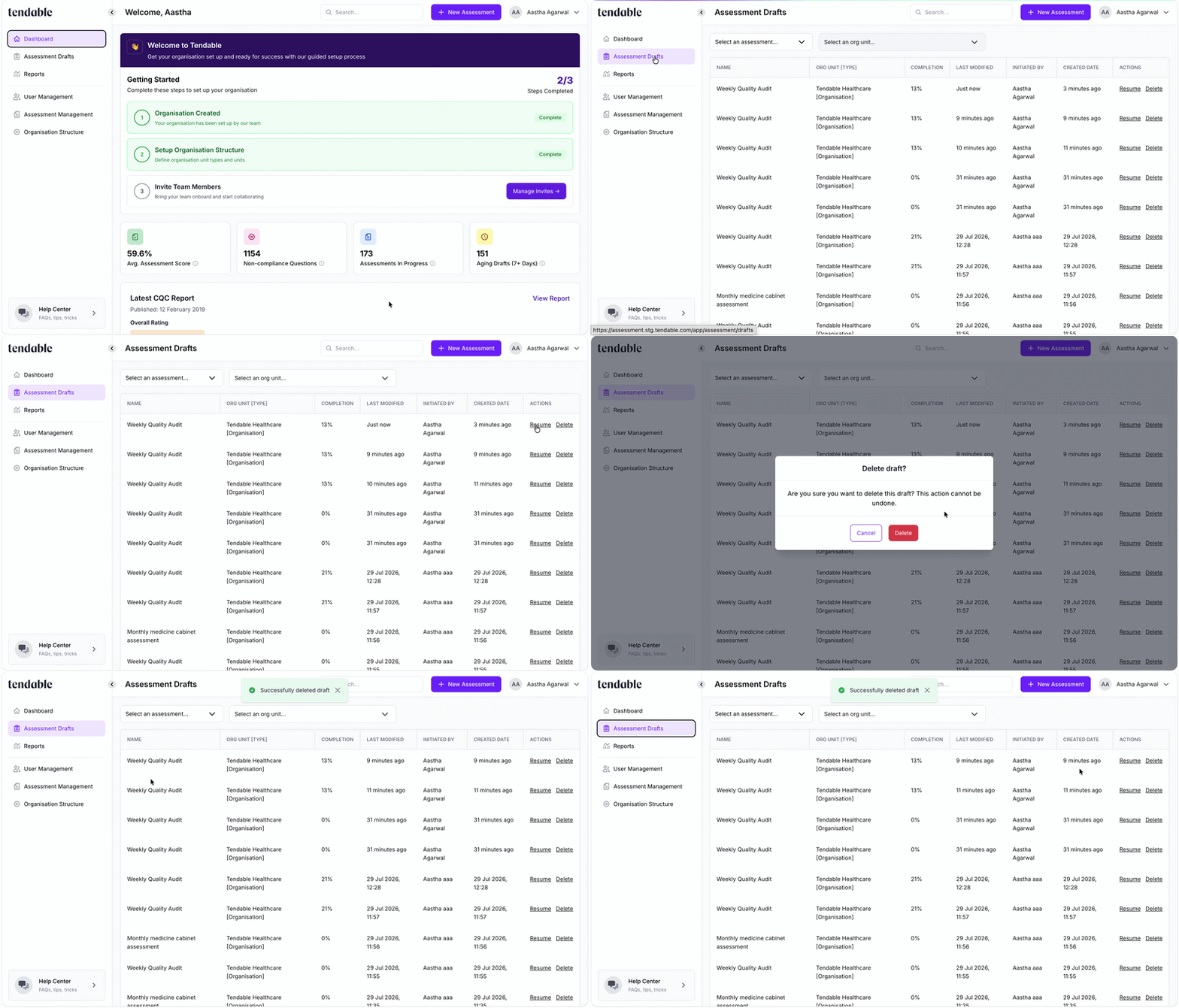
Deleting a draft
Tips & troubleshooting
- I don't see the two tabs. That's expected if you're a manager or a Viewer, you see one combined list of all drafts for your units instead.
- A draft I expected has disappeared. If it's been submitted, it's no longer a draft, it becomes a completed assessment with a report. Check you're on the right tab, and that it's for a unit you have access to.
- I can't delete a colleague's draft. Only the person who started it can. Ask them to remove it if it's no longer needed.
- Two of us are working on the same draft. That works, but it's worth coordinating so you don't save over each other's answers. The most recent save is the one that's kept.
Related articles
Was this article helpful?
That’s Great!
Thank you for your feedback
Sorry! We couldn't be helpful
Thank you for your feedback
Feedback sent
We appreciate your effort and will try to fix the article