What's new in Analytics?
We are continually improving Analytics to make your data clearer and quicker to act on. This is where we post each update, so you can see what has changed and how to make the most of it. Check back here, or follow the in-platform prompts, whenever we ship something new. Each entry includes a short video walkthrough.
---
w/c June 22nd
We have made a handful of improvements across Analytics, and within the Actions dashboard to make your numbers clearer and quicker to work with. Here is what has changed.
Analytics-wide
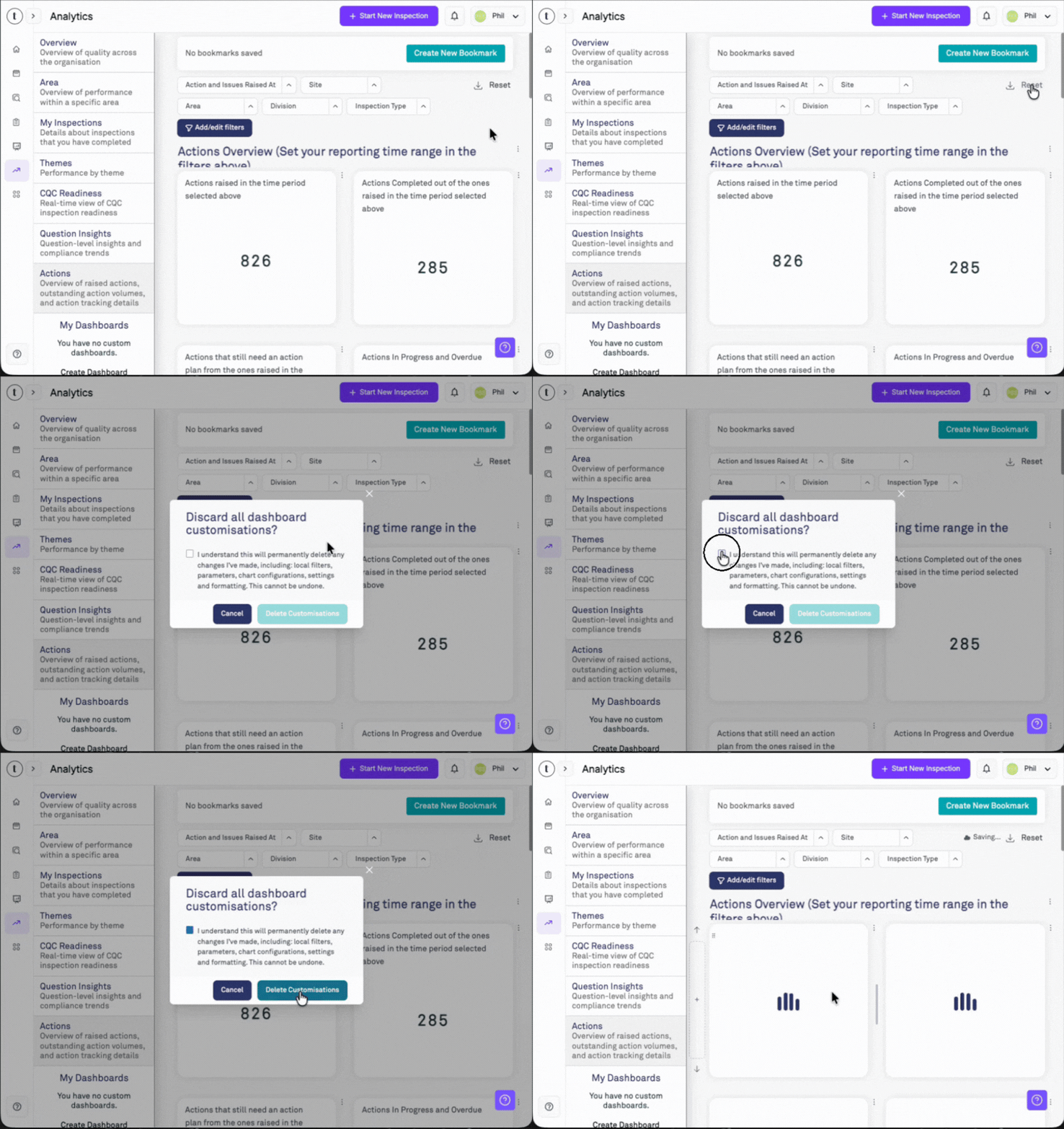
A clearer Reset control. The old refresh-style icon has been replaced with clear 'Reset' text and clearer wording throughout the process, so it is obvious the control clears your customisations and restores the default layout rather than refreshing your data.
Note: our dashboard updates will be visible only upon resetting the dashboards by the method shown below.
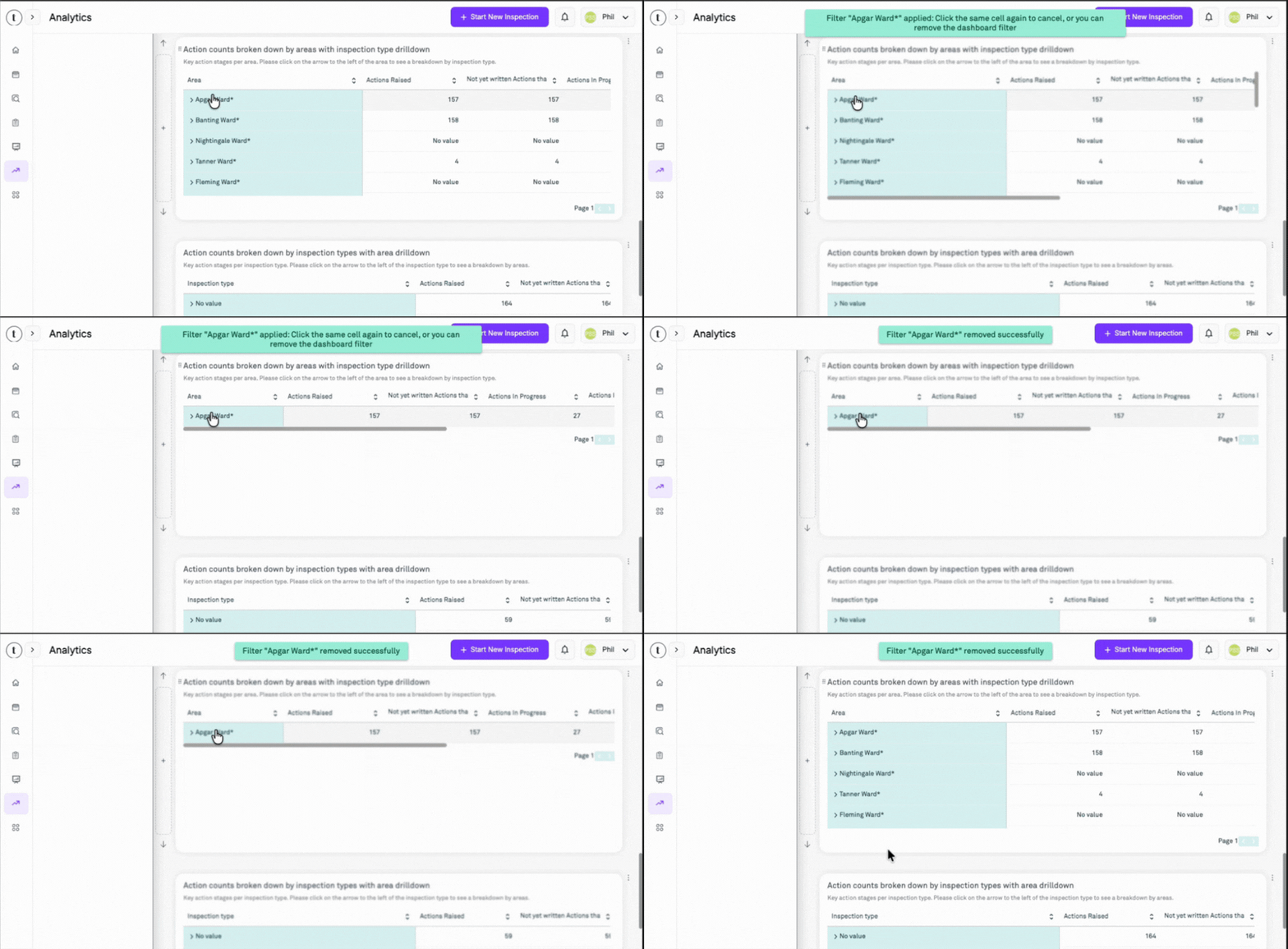
No more accidental drill-downs. Drilling into a table cell is now a single click with a confirmation message. This applies filters to the dashboard. To remove the drill-down filter, click the same cell again.
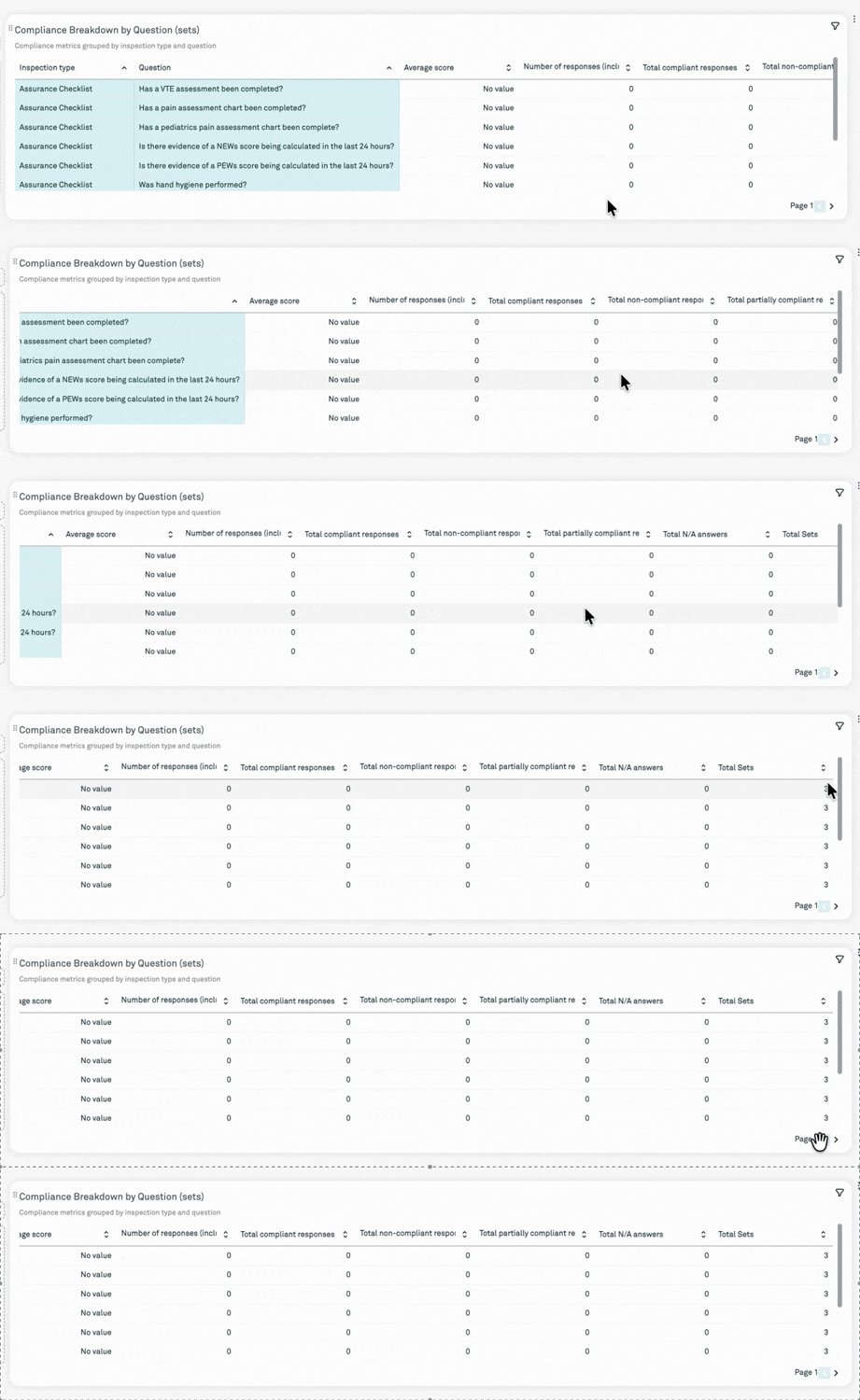
Tidier pivot tables. Resizing a column no longer causes text to overlap into the next column.
Shared Dashboards
- Now add your own bookmarks. If someone in your organisation shares a dashboard with you, you can now create your own bookmarks on it without changing the shared version.
- Note: these bookmarks are only saved on the browser and device you created them on, and they will be lost if you clear your browser history or cache.
- Note: if you are the owner of a shared dashboard, any bookmarks you create will be visible to all users of the dashboard.
Question Insights Dashboard
The full picture on Sets. The sets table now shows the Total Sets denominator alongside answer counts, making premature closures easier to spot.
Note: You'll find it in the final column by default, but you can reorder the columns from the 'Edit' option in the menu.
Actions Dashboard
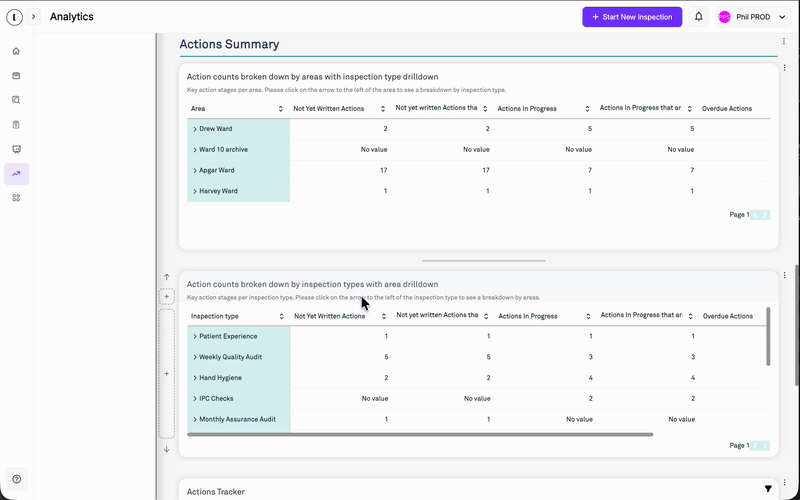
Clearer Actions summary. We have improved how the dashboard calculates and labels your figures, so the at-a-glance totals and the outstanding actions breakdown line up with the statuses you see in the app: Not yet written, In progress, Complete and Overdue.
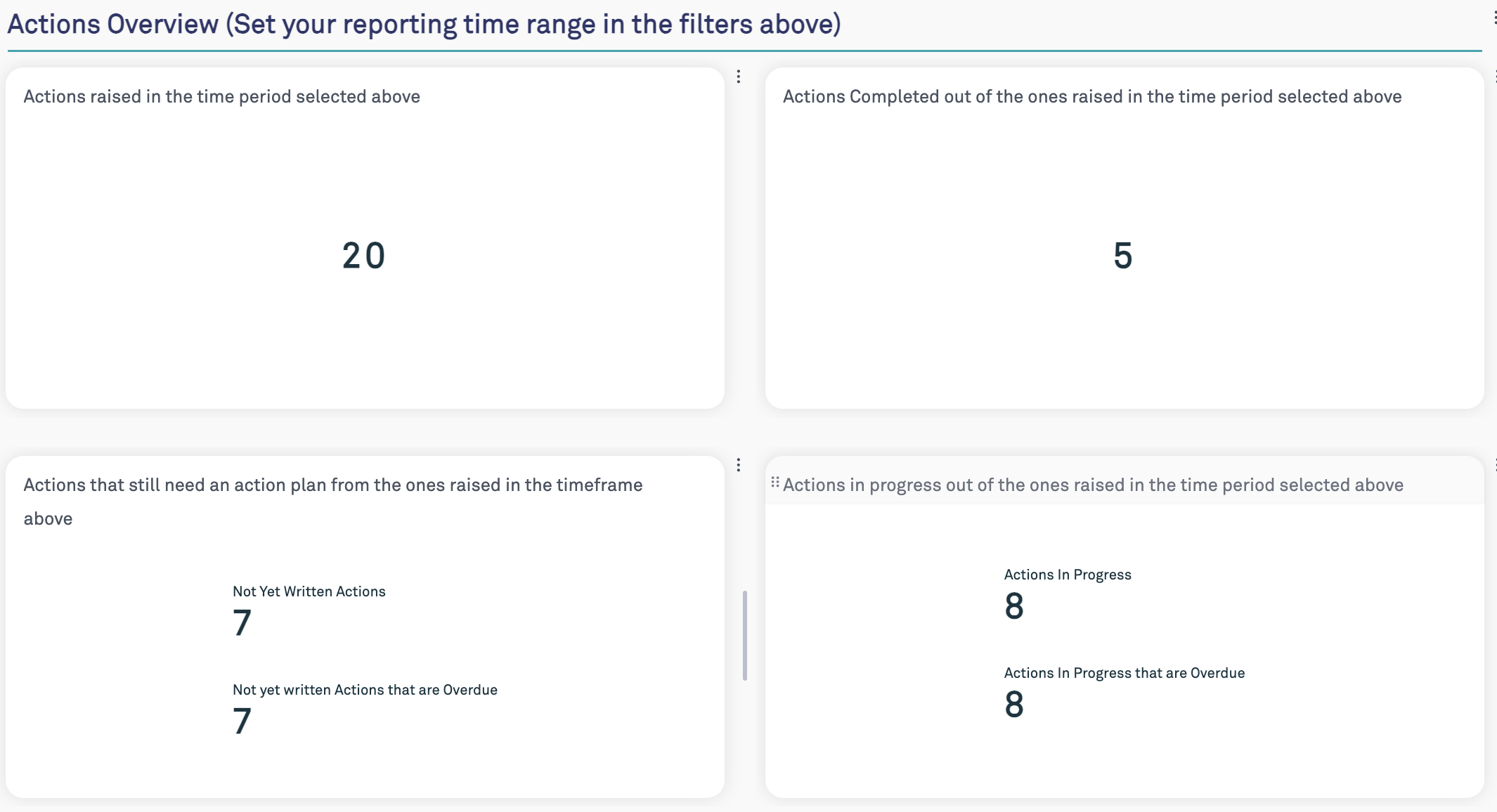
Please note: if you don't see the new format as below, please click the 'Reset' button in the top right of the dashboard. Any customisations you've made to the dashboard will be cleared, and the layout will be updated.
Open actions by default. The Actions Tracker now shows only open actions by default, so you can focus on what still needs doing. We've also added Overdue as a dedicated column.
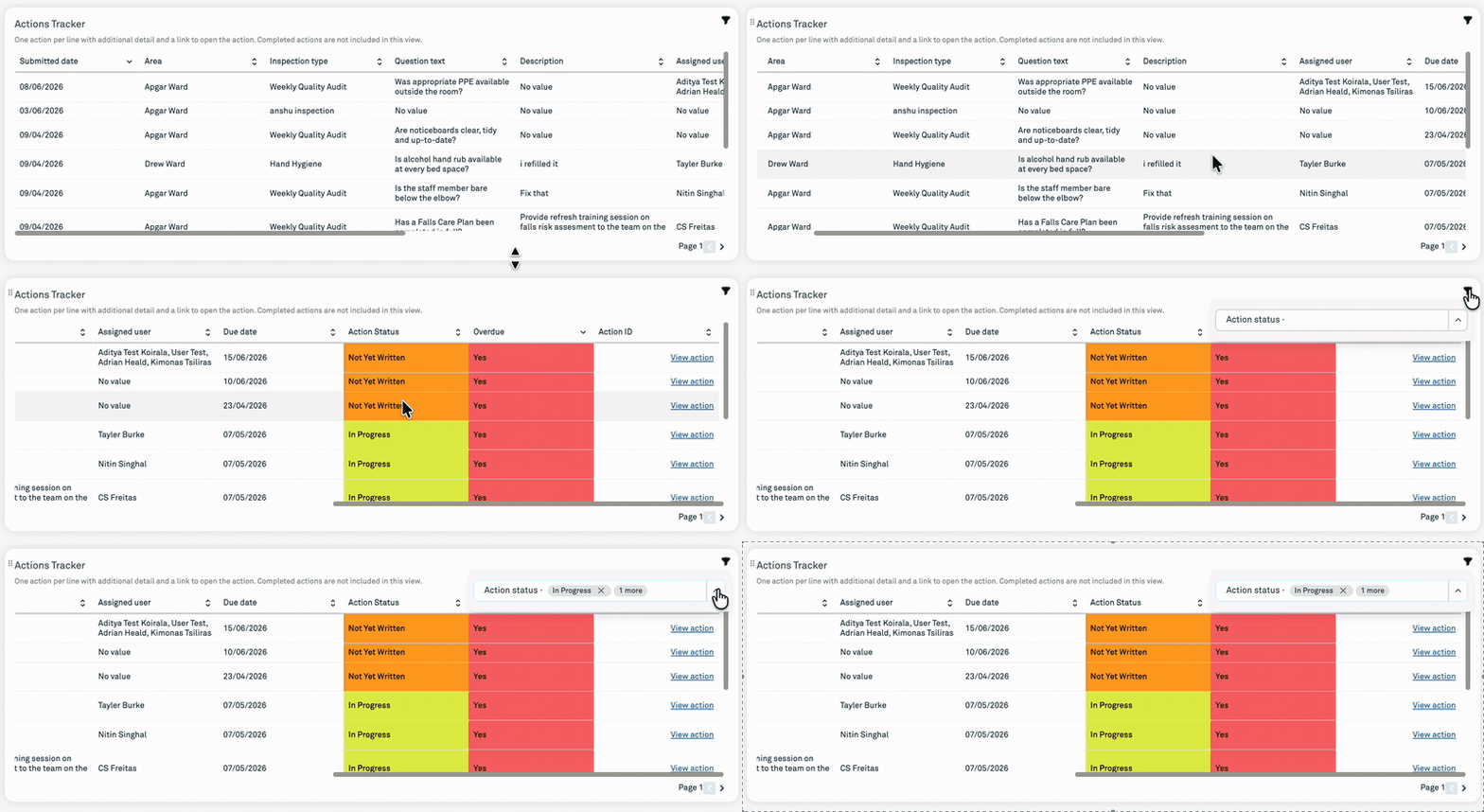
Jump straight to the detail. Click a number or title to open the relevant actions list with the right filters already applied.
Note: this only applies to the following columns:
Actions Raised
Actions in Progress
Actions Completed
Was this article helpful?
That’s Great!
Thank you for your feedback
Sorry! We couldn't be helpful
Thank you for your feedback
Feedback sent
We appreciate your effort and will try to fix the article