First Time Experience
When you log into the platform for the first time, you’ll see a Welcome panel inviting you to start an assessment. This panel will disappear once you have at least one draft or completed report that you’ve contributed to.
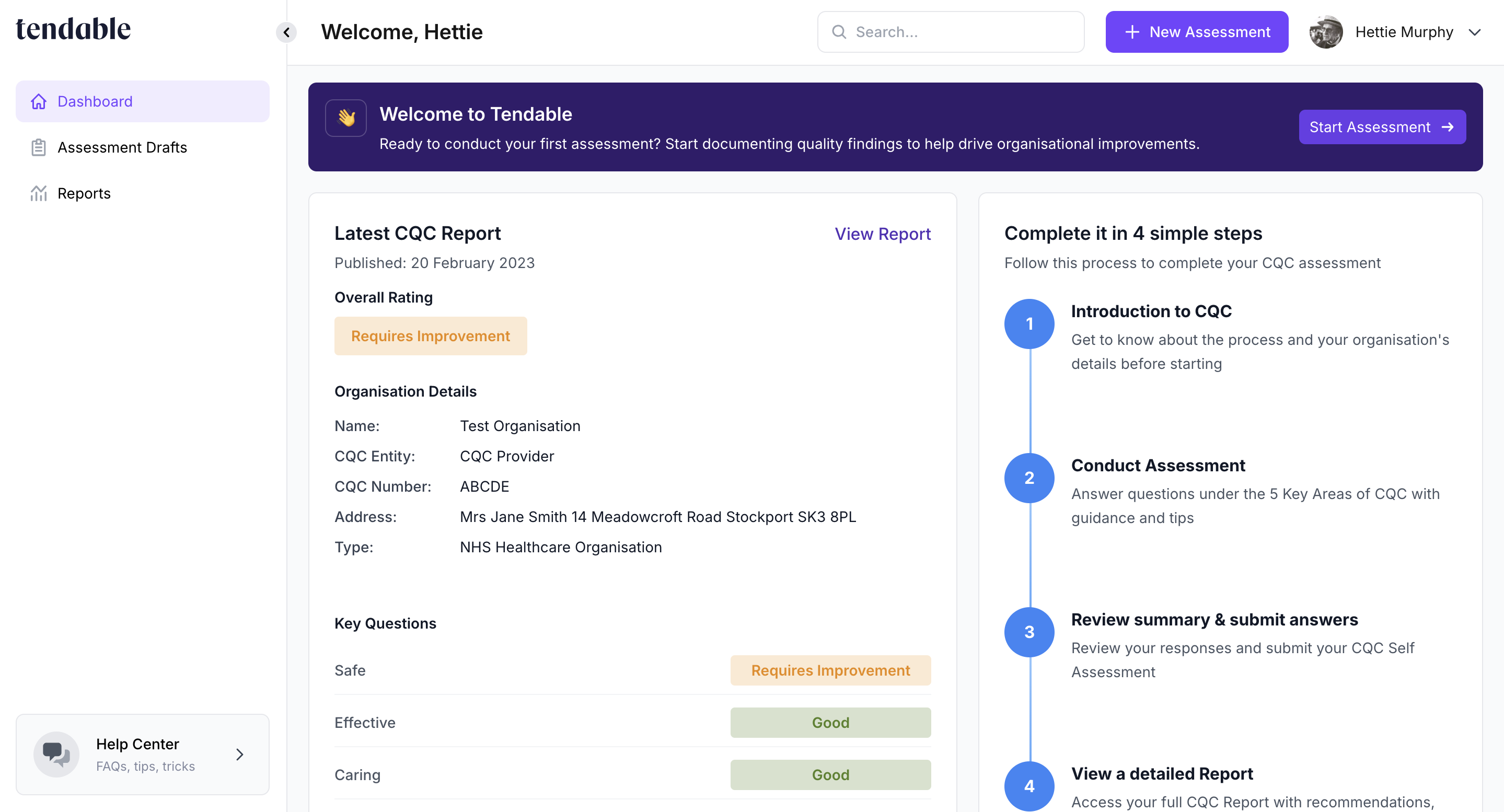
If your organisation unit has been officially rated by the CQC and you don’t currently have any draft or submitted CQC Self Assessments, the dashboard will display the Latest CQC Report summary alongside the steps, as illustrated in the screenshots below.
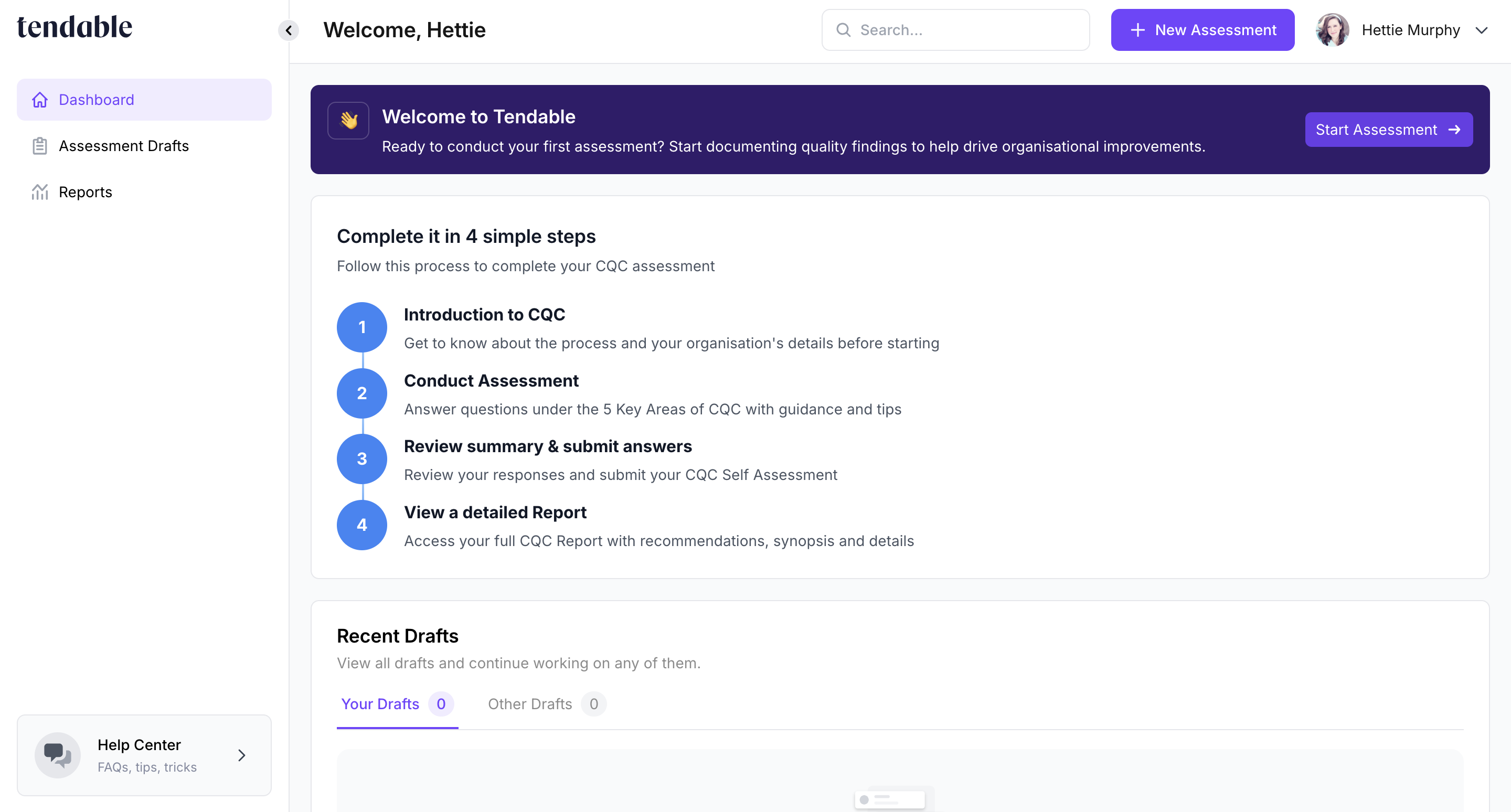
If your organisation unit hasn’t been officially rated by the CQC and you haven’t started or submitted any assessments, you’ll see the same layout — except without the Latest Official Report summary. In this case, the steps will expand to occupy the full width.
Returning User Experience
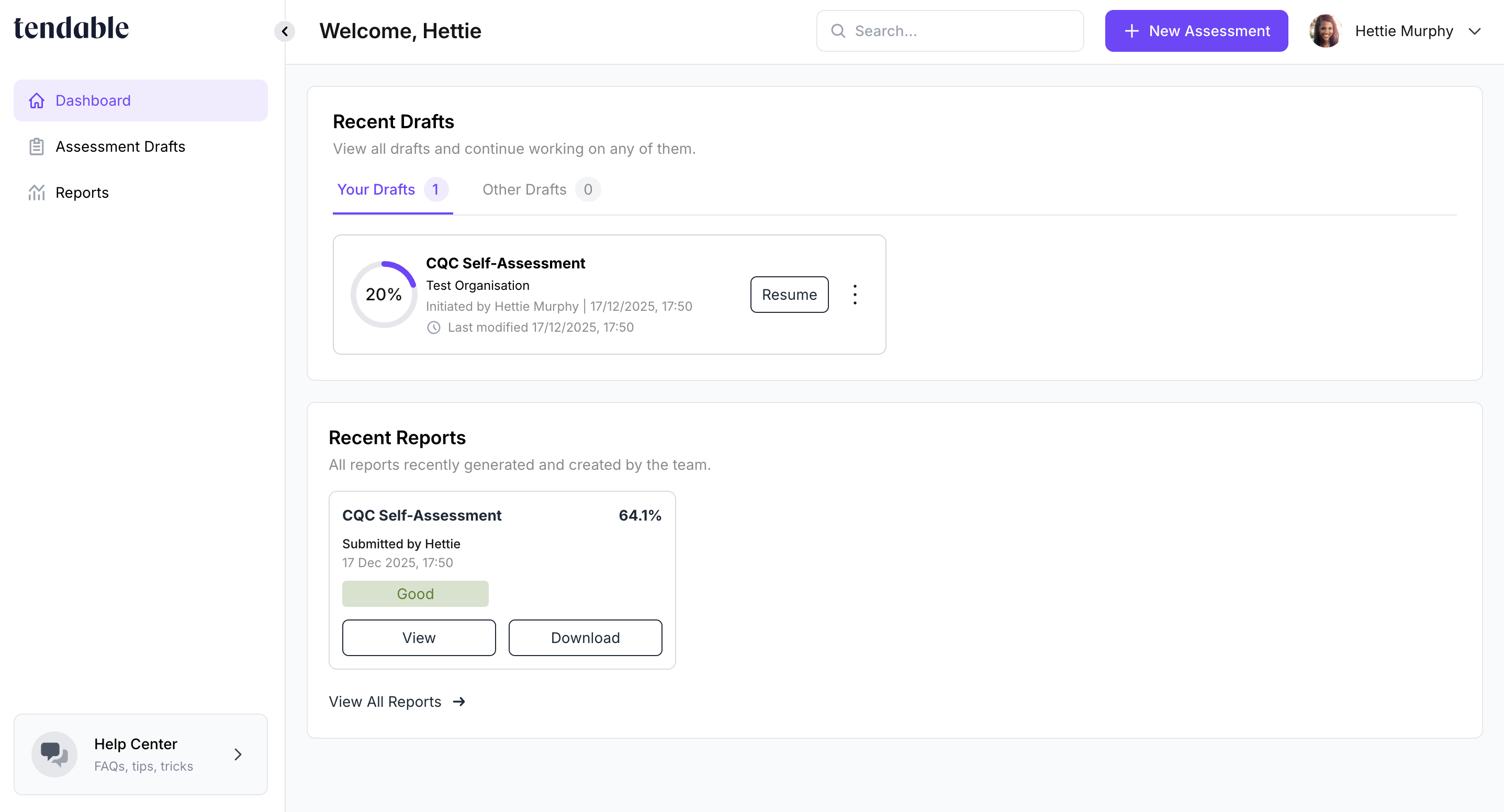
If your organisation unit has at least one draft or completed Self Assessment, the steps will no longer be displayed. All ongoing drafts will appear in the Recent Drafts section and all completed reports in the Recent Reports section.
Was this article helpful?
That’s Great!
Thank you for your feedback
Sorry! We couldn't be helpful
Thank you for your feedback
Feedback sent
We appreciate your effort and will try to fix the article